6 AI Image Generation Prompts That Prove Nano Banana Pro 2 Is Different
The official prompt formula, 6 prompts most models can't handle, and every output generated on Snippt.
Feb 18, 2026·5 min read
Most AI image generation prompt guides are useless. They give you a list of keywords, tell you to add "4k, masterpiece, trending on artstation," and call it a day. That worked in 2024. It doesn't work with Nano Banana Pro 2.
Nano Banana Pro 2 is a thinking model. It doesn't match keywords - it understands intent, physics, and composition. Feed it keyword soup and you'll get generic output. Talk to it like a creative director briefing a photographer, and it'll generate things that make people ask "wait, is that a real photo?"
This guide gives you three things: the official prompt formula from Google, 6 prompts designed to test capabilities most models fail at (dark skin tones, anime hands, text rendering, full-body motion), and the actual outputs generated on Snippt's Image Generator. No filler, no fluff.
The Official Prompt Formula
Google recommends including five elements in every prompt. You don't need all five every time, but the more specific you are, the better the output.
Google's Official Formula
Subject + Composition + Action + Location + Style
1
Subject - who or what is in the image
"a robot" →"a stoic robot barista with glowing blue optics"
2
Composition - how the shot is framed
"close-up" →"extreme close-up, low angle shot, shallow depth of field"
3
Action - what's happening
"making coffee" →"carefully pouring latte art into a ceramic cup"
4
Location - where the scene takes place
"a cafe" →"a futuristic cafe on Mars, large windows showing the red landscape"
5
Style - the overall aesthetic
"realistic" →"cinematic 3D render, soft atmospheric lighting, subtle lens bloom"
Keyword Soup vs. Director's Brief
Same idea - a wizard cat in a library. Two completely different approaches.
✕ Old-school tag soup
"cat, wizard, library, 4k, masterpiece, trending"
✓ Nano Banana Pro 2 - talk like a director
"A fluffy calico cat wearing a tiny wizard hat and cloak, medium close-up portrait, sitting on a wooden table covered with potions and spell books in a cozy alchemist's library. Warm candlelight, shallow depth of field, whimsical storybook illustration style."
The second prompt is structured: subject (calico cat with wizard hat), composition (medium close-up portrait), action (sitting), location (alchemist's library), style (whimsical storybook illustration). The model knows exactly what you want.
Pro Tips from Google's Guide
Stop keyword-stuffing
You don't need "4k, trending on artstation, masterpiece" anymore. Nano Banana Pro 2 understands natural language. Be descriptive, not repetitive. One clear sentence beats ten random tags.
Action reduces weird poses
Telling the model what the subject is doing dramatically reduces awkward, unnatural poses. "Leaping across a rooftop gap" gives the model a physics reference. "Standing there" doesn't.
Name the camera, not just the vibe
Instead of "good lighting," say "single key light positioned 45 degrees above left of subject." Instead of "close-up," say "shot on 85mm lens at f/1.8." Camera-specific language triggers more realistic rendering.
Use reference images
Nano Banana Pro 2 accepts reference images. On Snippt, click the Reference Image upload area next to the prompt box. Use it for style matching, character consistency, or product shots where you need exact brand colors. Try it now →
Copy-Paste Prompt Templates
These aren't just pretty prompts - each one tests something Nano Banana Pro 2 is specifically good at. Copy them, generate, and see for yourself.
Hyperreal Portrait - Skin Test
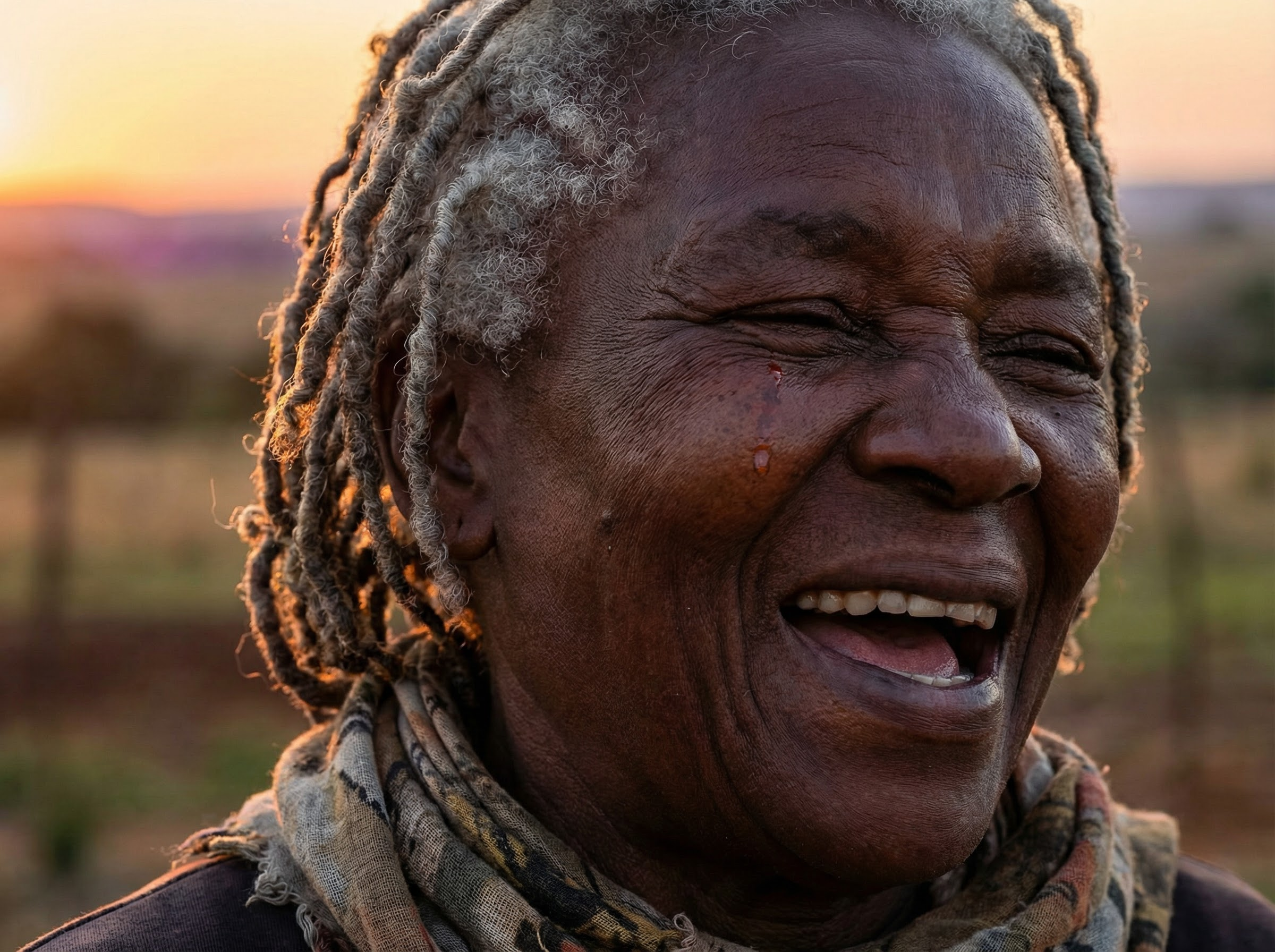
"Close-up portrait of an elderly Black woman with deep mahogany skin and silver-grey locs, laughing with her eyes closed. Every wrinkle tells a story. Warm golden hour light catching individual strands of silver hair. A single tear of joy on her cheek reflecting the sunset. Shot on Hasselblad X2D, 90mm f/2.8, razor-sharp detail on skin pores and textures."
Tests: dark skin tone accuracy, micro-textures, reflections on skin, emotional expression, hair detail
Anime - Studio Ghibli Meets Cyberpunk
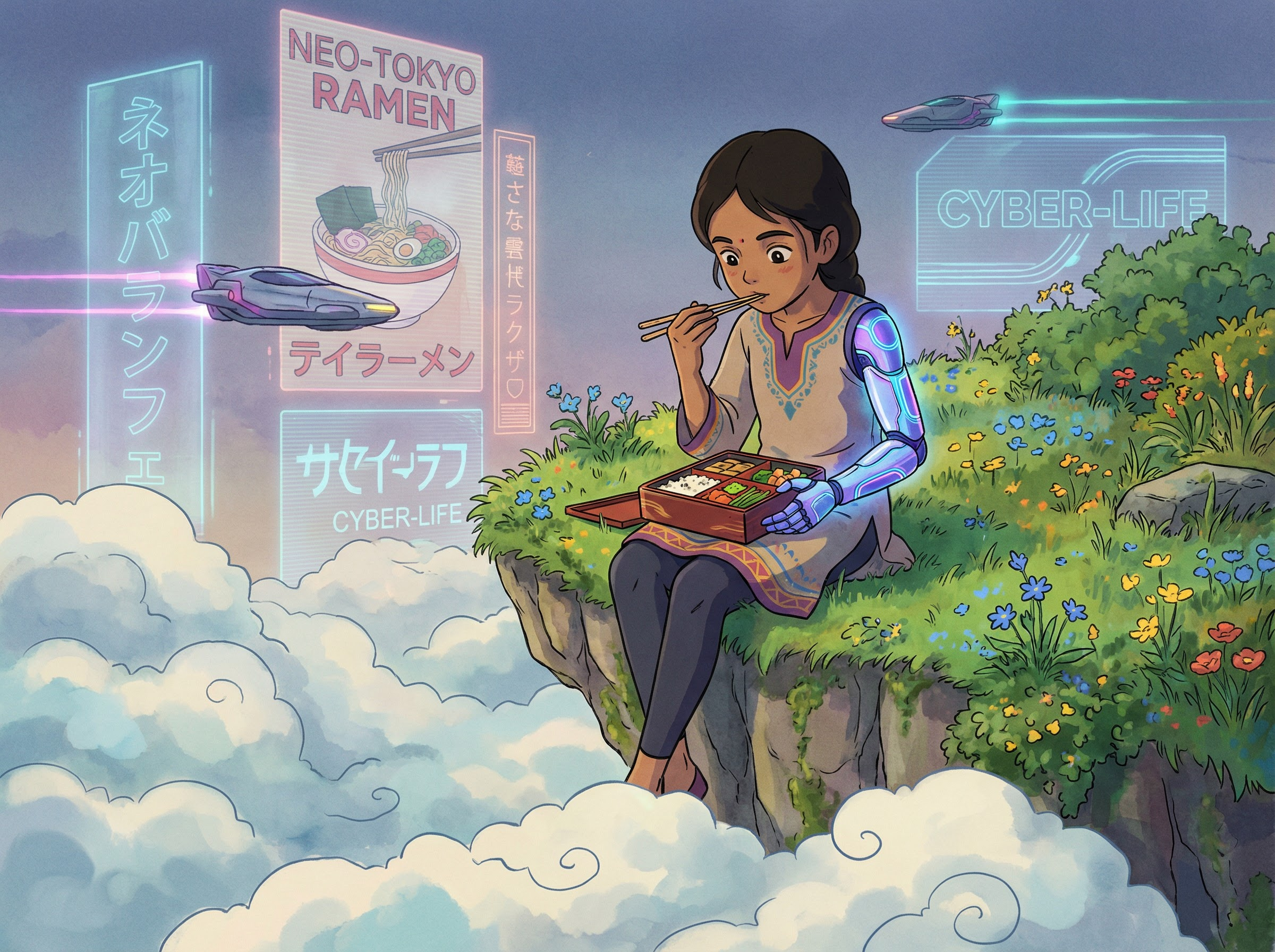
"A young South Asian girl with a glowing cybernetic arm sitting on the edge of a floating island, dangling her legs over clouds below. She's eating rice from a bento box with chopsticks, looking unbothered. Lush green grass and wildflowers around her, but the sky behind is filled with massive holographic billboards and flying vehicles. Studio Ghibli art style meets Akira, hand-painted feel, soft watercolor edges with sharp neon accents."
Tests: anime rendering, mixing art styles, hands holding small objects, cultural details, foreground/background contrast
Text Rendering - Neon Sign
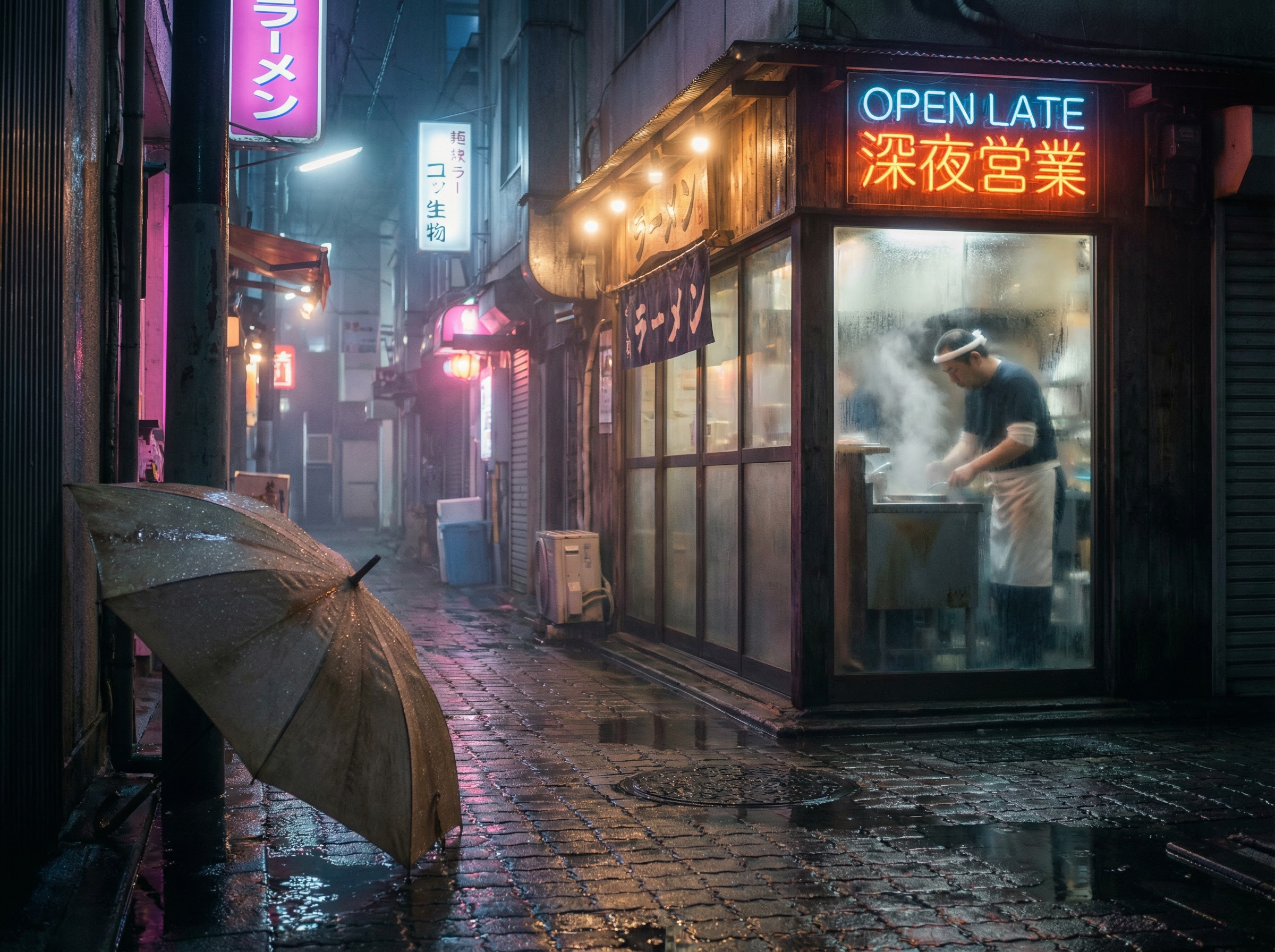
"A rain-soaked Tokyo alley at 2am, medium wide shot. A handmade ramen shop with a flickering neon sign that reads 'OPEN LATE' in both English and Japanese characters. A lone chef visible through the steamy window. Puddles on the ground reflecting pink and blue neon. Cinematic photography, anamorphic lens, moody Blade Runner atmosphere, every water droplet visible."
Tests: text rendering (English + Japanese), reflections on wet surfaces, volumetric atmosphere, neon light physics
"Is This a Photo?" - Street Fashion
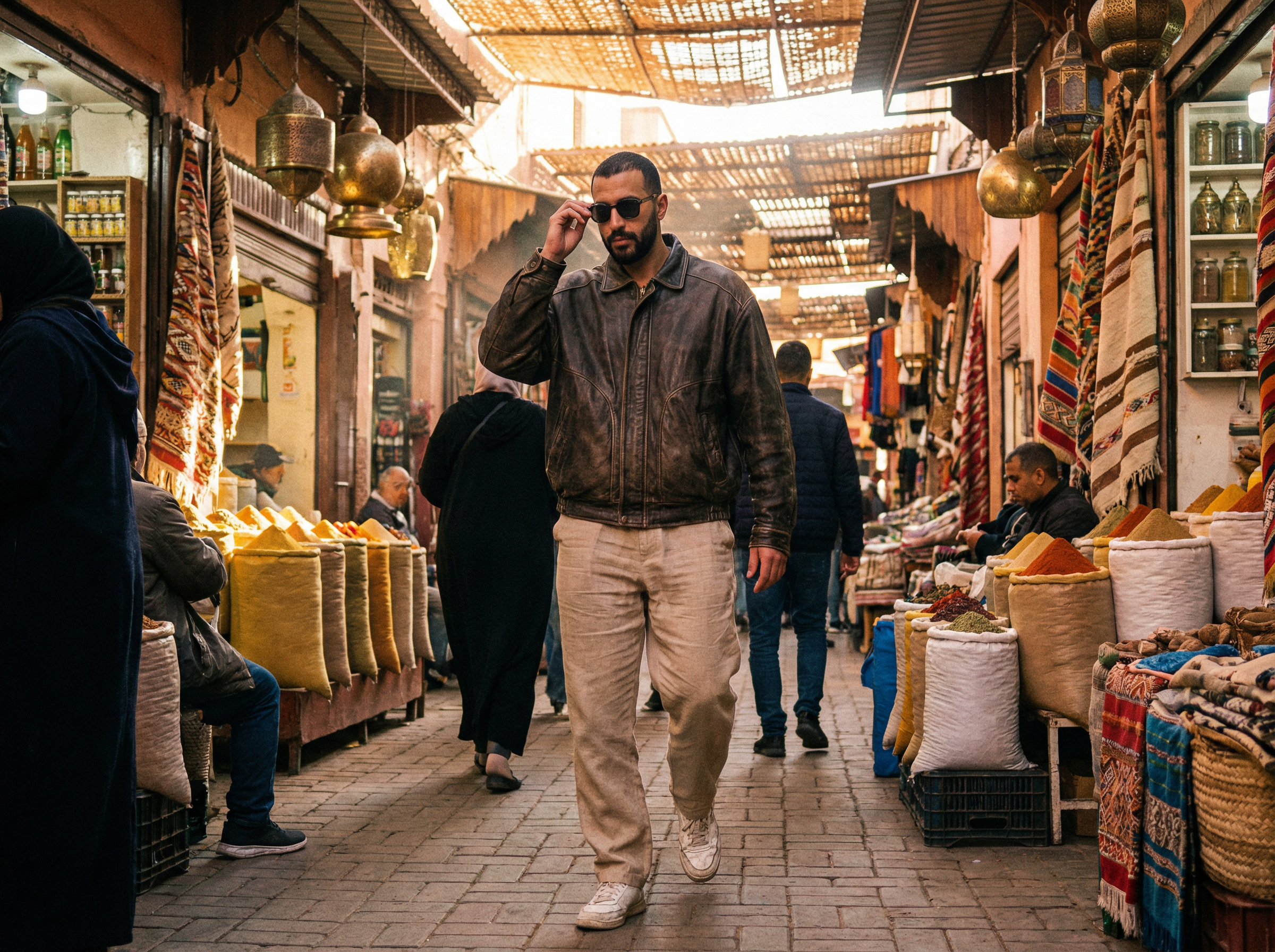
"Full body candid street photography of a tall Middle Eastern man in his 30s with a short beard, wearing an oversized vintage leather jacket, wide-leg linen trousers, and beat-up white sneakers. Walking through a Marrakech souk with spice pyramids and hanging lanterns behind him. He's mid-stride, one hand adjusting his sunglasses. Natural afternoon light, dust particles in the air. Shot on Leica M11 with 35mm Summilux, slight motion blur on his trailing leg, photojournalistic style."
Tests: full body anatomy, hands, realistic motion, fabric physics, complex background with many objects, "real photo" pass
3D Figurine - Viral Format
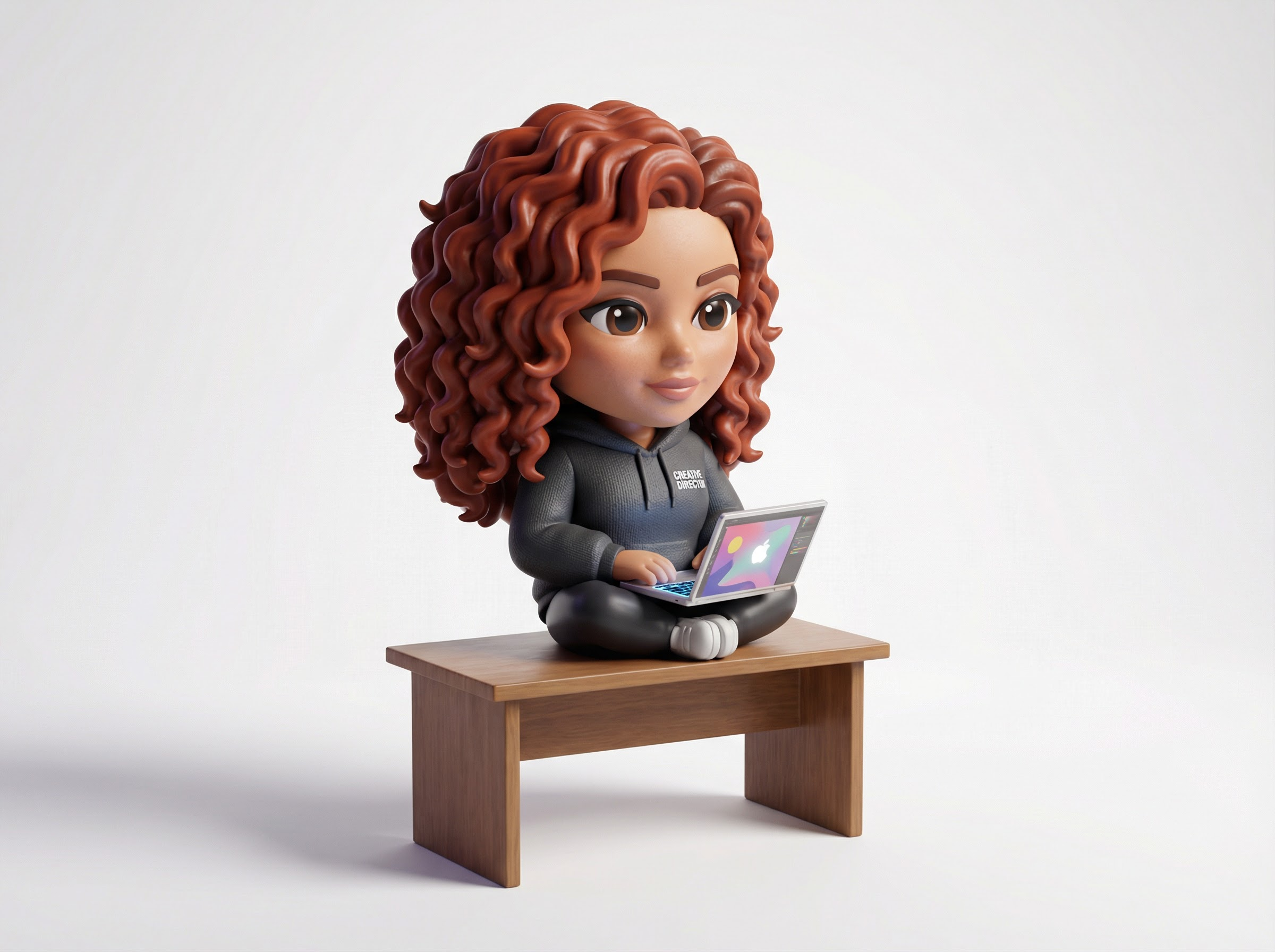
"A hyper-detailed 3D figurine of a Latina woman with curly auburn hair sitting cross-legged on a tiny desk, wearing a hoodie that says 'CREATIVE DIRECTOR' in small white text on the chest. She's holding a miniature laptop with a glowing screen. Chibi proportions but realistic skin and fabric textures. Soft studio lighting on a clean white background, product photography style, the figurine casts a soft shadow. Slightly glossy plastic finish like a collectible toy."
Tests: text on clothing, 3D rendering, chibi/figurine style, mixed realism, the viral "turn yourself into a figurine" format
Impossible Physics - The Scroll Stopper
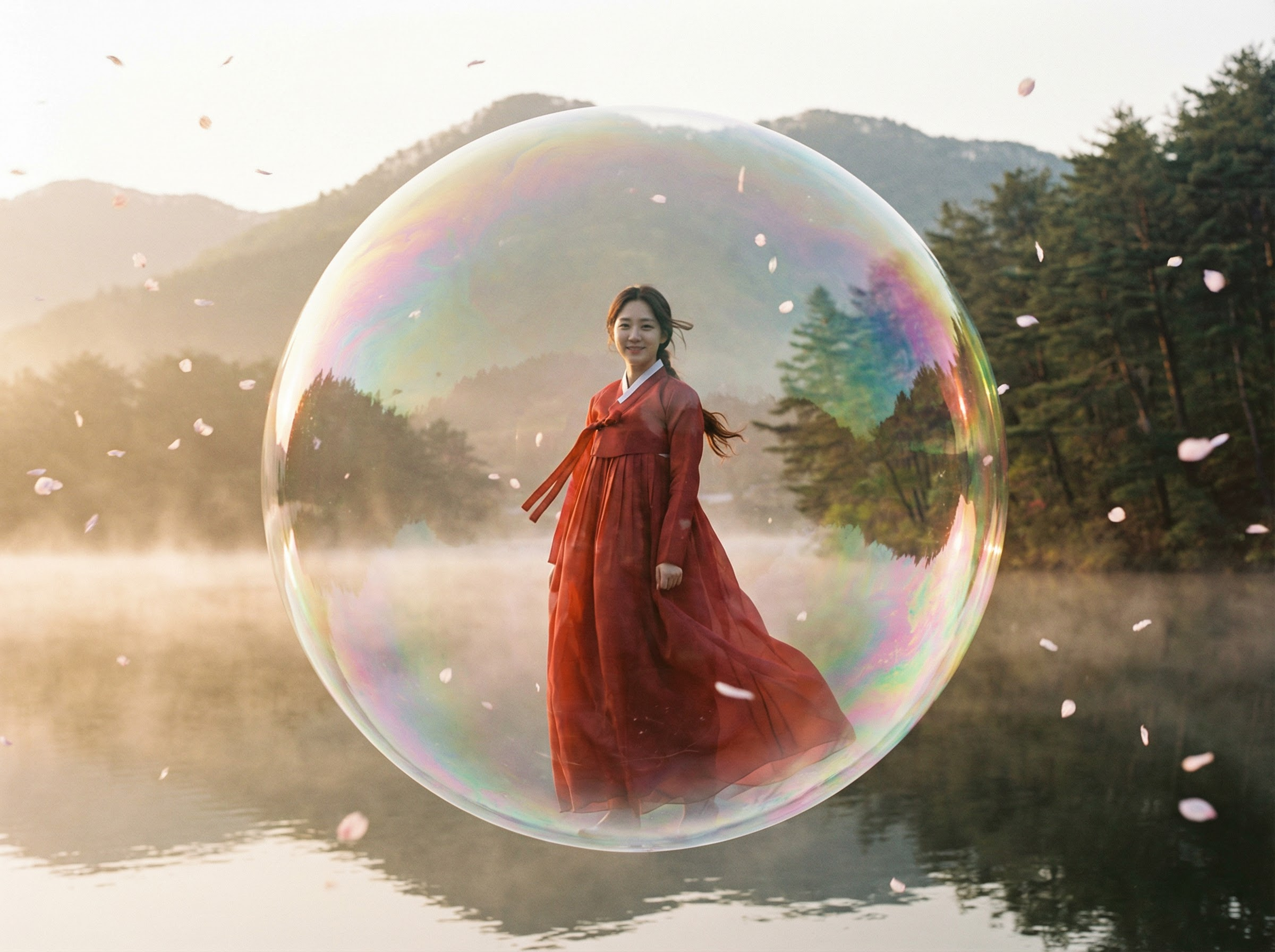
"A Korean woman in a flowing red hanbok standing calmly inside a giant soap bubble floating above a misty lake at sunrise. Her hair and dress move as if underwater. The bubble's surface shows rainbow iridescence and distorted reflections of the mountain landscape. Cherry blossom petals are frozen mid-air outside the bubble. Photorealistic, shot on medium format film, dreamlike but physically grounded."
Ready to try these? Here's what each setting does when you open Snippt's Image Generator with Nano Banana Pro 2.
Reference Image
Describe the image you want to create...
Model
Nano Banana Pro 2
Ratio
1:1
Quality
Standard
#
1
3 cr
Snippt's Image Generator control bar with Nano Banana Pro 2 selected.
Model
Nano Banana Pro 2
Select from the model dropdown. Google's most advanced image model, built on Gemini 3.
Ratio
1:1, 16:9, 9:16, 4:3, 3:4
1:1 for social posts. 16:9 for hero banners. 9:16 for stories and reels.
Quality
Standard / HD
Start with Standard for fast iteration. Switch to HD for final outputs.
Count
1-4
Generate multiple variations at once. Compare different compositions.
Reference Image
Optional upload
Upload a style guide or character sheet. Tell the model how to use it in your prompt.
Credits
3 per generation
Free accounts get daily credits. Pro accounts get unlimited generations.
FAQ
Nano Banana Pro 2 is Google's latest image generation model, built on Gemini 3. It's a "thinking" model that understands natural language prompts, composition, and real-world physics - meaning it generates more accurate, controllable results than older keyword-based models. It's available for free on Snippt's Image Generator.
No. Subject and style are the most important. Adding composition, action, and location makes results more specific and consistent, but even a well-written 2-part prompt will outperform a keyword list. Start with subject + style and add more detail when you want more control.
Yes. Click the Reference Image upload area in Snippt's Image Generator. You can upload a style guide, brand asset, or character sheet. Then tell the model how to use it in your prompt - for example, "Match the color palette and lighting style of the uploaded image."
Standard is faster and costs the same credits - use it when you're iterating on ideas and testing prompts. HD generates higher resolution output with finer details like skin texture, fabric threads, and micro-textures. Switch to HD for your final output once you've nailed the prompt.
Nano Banana Pro 2 excels at text rendering, real-world knowledge, and following complex multi-part prompts. It's particularly strong for product photography, infographics, and scenes that require accurate physics and lighting. Other models on Snippt like FLUX and Seedream may be better for certain artistic styles - try a few and compare.
Try Nano Banana Pro 2 on Snippt
Copy any prompt from this guide and paste it in. Free to start.